Capybara AI images.
Keep it. Change it. Make it yours.
Keep the capybara and change its world. Or keep the scene and try a new pose. Compare real editing examples, then create your own.
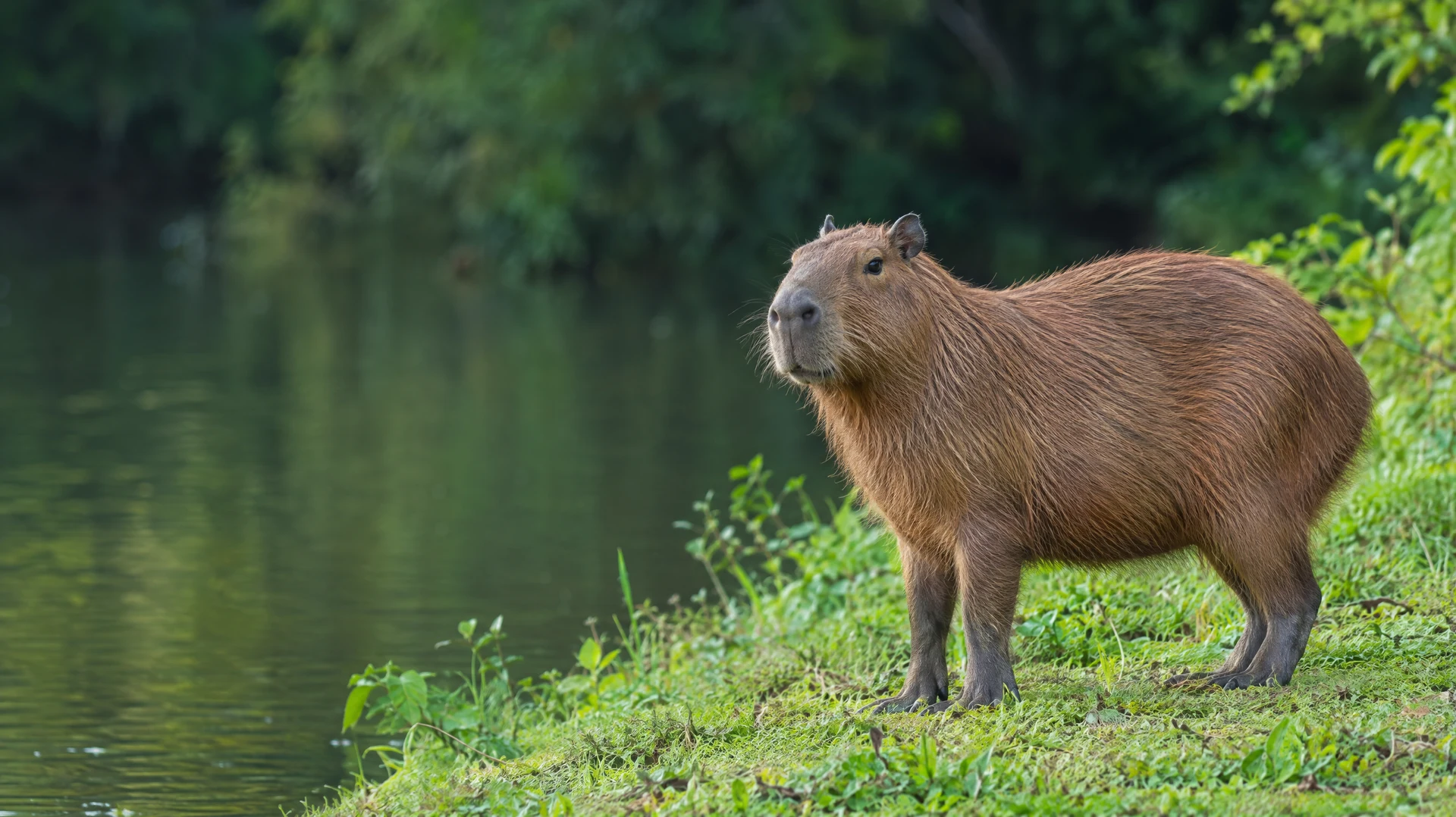
 ORIGINAL
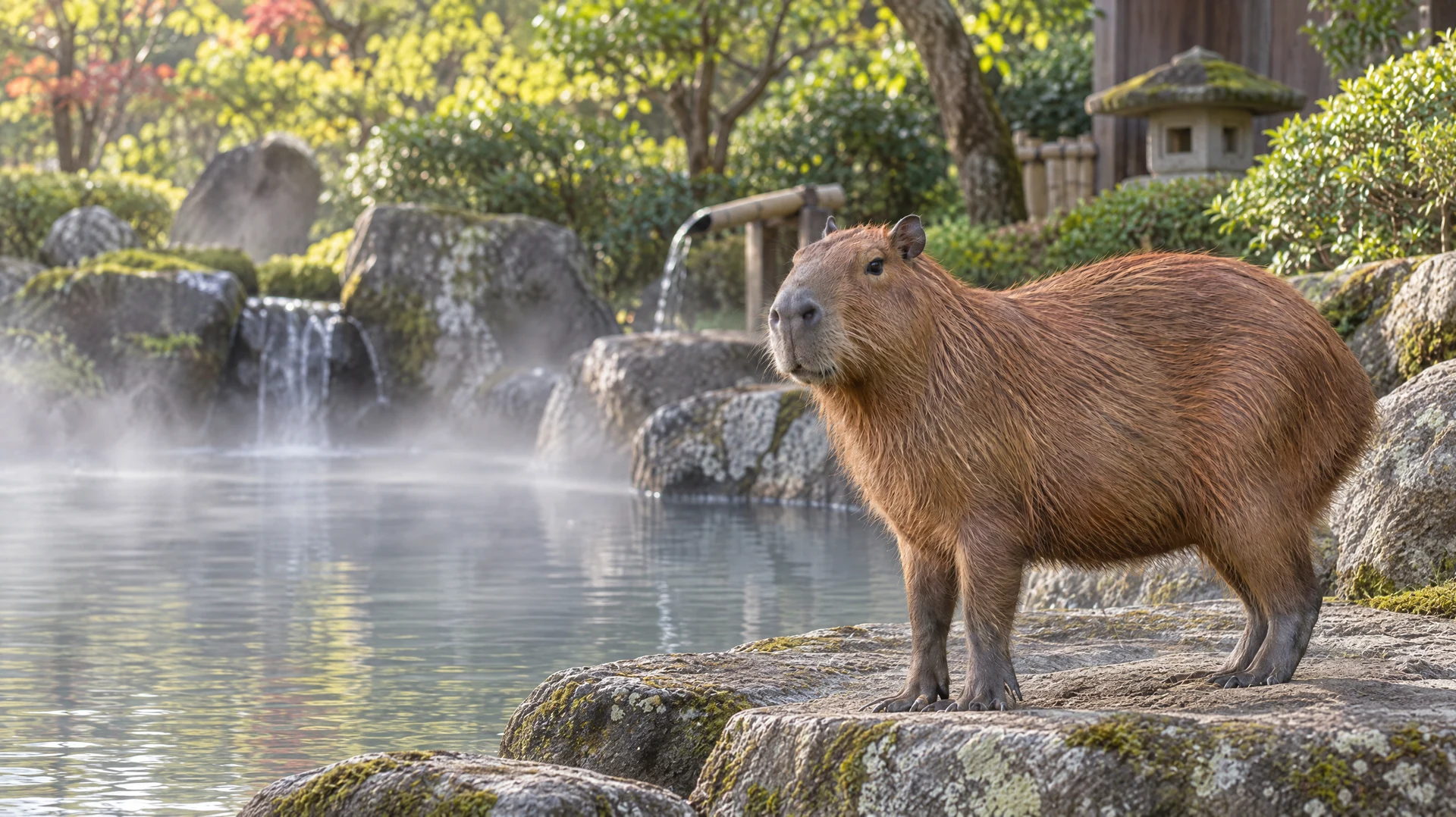
 CHANGE BACKGROUND
Capybara appearance, standing pose & framing
Riverbank → Japanese hot spring
Actual AI-generated examples from the same reference. Details may vary between edits.
One reference. More possibilities.
A new image doesn’t have to mean starting over. Preserve the subject, the scene, or the composition, then describe the change you want.
“Keep this capybara and its standing pose, appearance, scale and framing. Replace the riverbank with a Japanese hot spring. Keep the animal standing on a dry stone ledge beside the water.”
ORIGINAL REFERENCEStart with
one change.
New edits use credits. Review the cost in the generator before submitting.
Continue in image editor ↗Use your own reference image →Before your first edit.
Can I change the background without changing the capybara?
Use the original image as your reference and describe the new setting. Ask to preserve the capybara’s appearance, pose and framing. The hot spring example shows this edit; AI can still change small details, so compare the result before continuing.
Can I change the pose while keeping the same scene?
Yes. Describe a specific pose, such as resting on its belly, and ask to keep the riverbank, lighting and camera angle. The resting example starts from the same standing capybara reference.
Can I keep editing an image I like?
Choose “Continue editing this result” to use the selected example as your next reference. In the generator you can also use your own generated image for another edit, such as adding an orange after changing the background.
Are these real capybara photos, and are downloads free?
These are AI-generated capybara pictures, not photographs of a real animal. You can download the displayed examples for free. Creating new images or edits uses your account credits; the generator shows the credit cost before you submit.
Can I upload my own capybara image?
Open the image generator to upload your own reference, or start with one of these examples. Keep your instructions specific: name what should stay and describe one change at a time.