
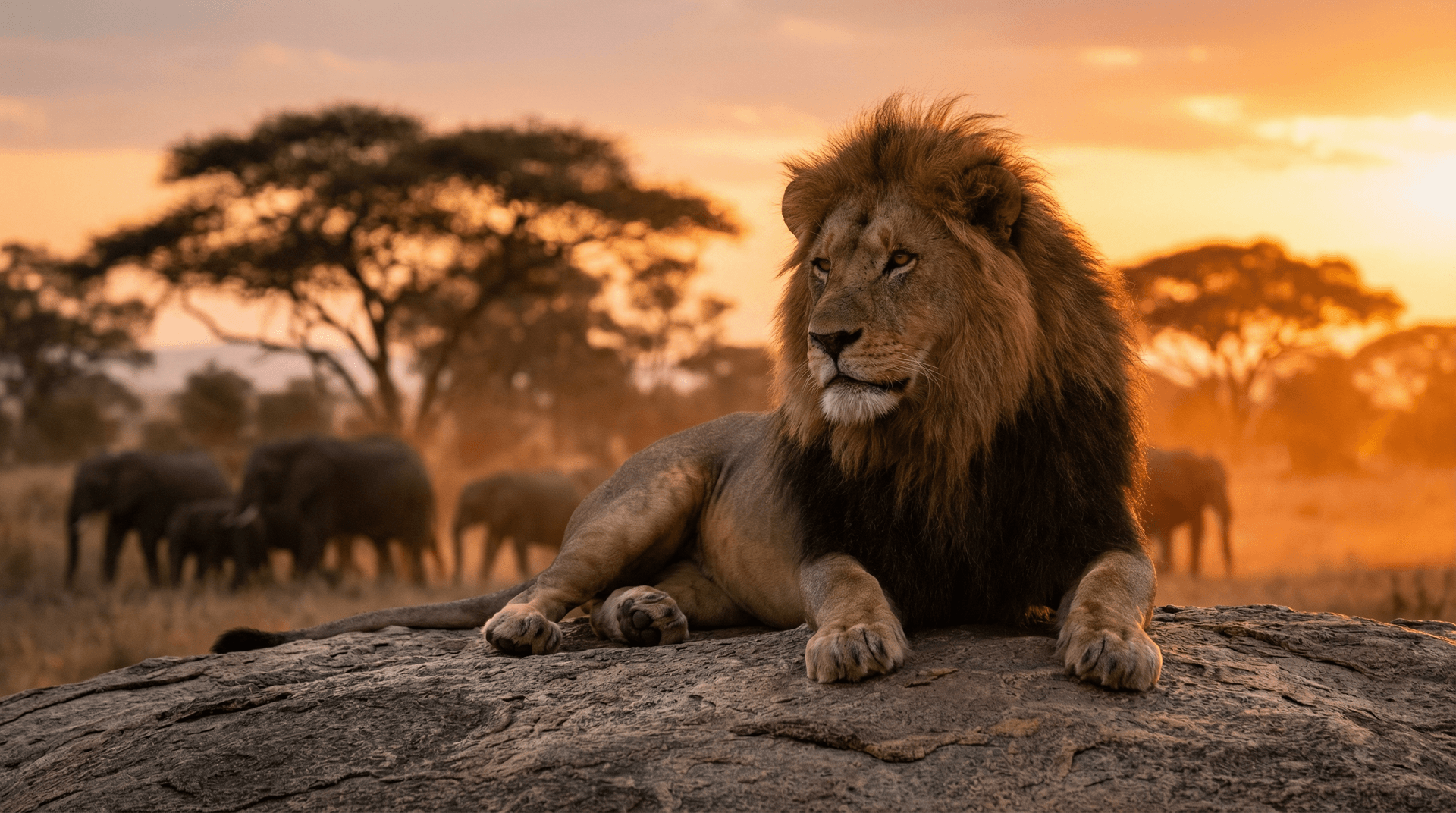
How to Create Stunning AI Wildlife Images: A Complete Guide
Introduction
Creating stunning wildlife images has never been easier. With AI-powered image generators like AnimalWorld AI, you can bring any animal to life in vivid detail—from majestic lions roaming the savanna to rare species that few have ever photographed.
In this comprehensive guide, we'll walk you through everything you need to know to create professional-quality AI wildlife images.
Why Use AI for Wildlife Images?
Traditional wildlife photography requires expensive equipment, travel to remote locations, and often years of patience. AI image generation offers several advantages:
- Accessibility: Create images of any animal, anywhere, anytime
- Cost-effective: No need for expensive camera gear or travel
- Creative freedom: Visualize animals in unique scenarios
- Conservation: Generate images of endangered or extinct species
- Speed: Get results in seconds, not months
Getting Started with AnimalWorld AI
Step 1: Choose Your Subject
Start by deciding which animal you want to generate. AnimalWorld AI supports hundreds of species, including:
- Big cats: Lions, tigers, leopards, cheetahs
- Marine life: Whales, dolphins, sharks, sea turtles
- Birds: Eagles, owls, parrots, penguins
- Endangered species: Giant pandas, snow leopards, mountain gorillas
- Extinct animals: Woolly mammoths, dodo birds, saber-toothed cats
Step 2: Craft Your Prompt
The prompt is the most important part of AI image generation. A good prompt includes:
- The animal: Be specific (e.g., "Bengal tiger" not just "tiger")
- The setting: Where is the animal? (e.g., "in a misty bamboo forest")
- The lighting: Time of day, weather (e.g., "golden hour sunlight")
- The mood: What feeling should the image convey? (e.g., "powerful and majestic")
- The style: Realistic, artistic, cinematic (e.g., "National Geographic style")
Example prompt:
"A majestic Bengal tiger walking through a misty bamboo forest at dawn, golden sunlight filtering through the leaves, photorealistic, National Geographic style"
Step 3: Use Smart Prompt (Magic Enhance)
Here's a secret weapon that sets AnimalWorld AI apart: Smart Prompt.
Not sure how to write a professional photography prompt? No problem. Just type a simple description like "tiger in snow" and click the Magic Enhance button. Our AI will automatically transform it into a detailed, professional-grade prompt.
Before Smart Prompt:
"tiger in snow"
After Smart Prompt:
"Realistic wildlife photograph of a majestic Siberian tiger walking through deep pristine snow in a frost-covered Siberian forest, photographed with a Nikon Z9 and NIKKOR Z 400mm f/2.8 TC VR S lens at f/4, 1/1000s, ISO 800. Golden hour winter sunlight creates warm rim lighting on the tiger's orange fur, breath visible in the cold air, snow particles sparkling. Shallow depth of field isolates the subject against soft bokeh of snow-laden pine trees. Professional wildlife photography, National Geographic style, ultra-detailed fur texture, photorealistic, 8K resolution."
Smart Prompt automatically adds:
- Professional camera settings (lens model, aperture, shutter speed, ISO)
- Specific lighting descriptions (golden hour, rim lighting, backlit effects)
- Environmental details (not just "forest" but "frost-covered Siberian forest")
- Composition techniques (shallow depth of field, bokeh)
- Quality indicators (8K resolution, National Geographic style)
Usage:
- Free users: 20 uses per month (try it out!)
- Paid subscribers: Unlimited free use (fair use policy applies)
Step 4: Adjust Settings
AnimalWorld AI offers several settings to fine-tune your results:
- Aspect ratio: 1:1 for social media, 16:9 for wallpapers, 9:16 for mobile
- Lens type: Wide (24mm), Standard (50mm), Telephoto (400mm), or Macro (100mm)
- Watermark: Optional watermark for protection
Image-to-Image: Transform Your Pet Photos
One of the most powerful features is Image-to-Image generation. Upload a photo of your pet, and the AI will place them in stunning wildlife scenarios while preserving their unique appearance.
How it works:
- Upload a clear photo of your pet
- Describe the scene you want (e.g., "snowy mountains", "African savanna", "standing on a capybara")
- Click Generate
The AI will:
- Keep your pet's exact appearance (color, markings, breed)
- Place them naturally in the new environment
- Add professional lighting and composition
- Maintain correct anatomy (no extra limbs or heads)
Example transformations:
- Your cat → Sitting majestically on a rocky cliff overlooking the ocean
- Your dog → Running through golden autumn leaves in a forest
- Your rabbit → Resting in a meadow of wildflowers at sunset
Pro tip: Use Smart Prompt with Image-to-Image for even better results. The AI will craft the perfect prompt while keeping your pet as the hero of the photo.
Pro Tips for Better Results
Be Specific About Species
Instead of "bird," try "Scarlet Macaw" or "Snowy Owl." Specific species names help the AI generate more accurate and detailed images.
Use Photography Terms
Include terms like:
- "Shallow depth of field"
- "Close-up portrait"
- "Wide-angle landscape"
- "Backlit silhouette"
Describe the Environment
The setting can make or break your image. Consider:
- Habitat: Natural environment for the species
- Season: Spring flowers, autumn leaves, winter snow
- Weather: Fog, rain, sunshine
- Time of day: Dawn, golden hour, blue hour, night
Add Emotional Elements
Great wildlife images tell a story:
- "A mother elephant protecting her calf"
- "A lone wolf howling at the moon"
- "Two lions resting together at sunset"
Common Mistakes to Avoid
- Vague prompts: "A nice animal picture" won't give you great results
- Conflicting descriptions: Don't ask for "a tiger in Antarctica"
- Too many elements: Keep your prompt focused
- Ignoring aspect ratio: Match the ratio to your intended use
Example Prompts That Work
Here are some proven prompts to inspire you:
Majestic Portrait:
"Close-up portrait of an African lion with a full mane, intense golden eyes, savanna background blurred, dramatic lighting, ultra-detailed fur texture"
Action Shot:
"Cheetah running at full speed across the African plains, motion blur on legs, dust clouds, intense focus, wildlife photography"
Atmospheric Scene:
"A pack of wolves in a snowy forest at twilight, blue hour lighting, snow falling gently, mysterious atmosphere, cinematic"
Underwater Wonder:
"A humpback whale and calf swimming in crystal clear blue water, sunbeams penetrating from above, peaceful, underwater photography"
Using Your AI Wildlife Images
Once you've created your perfect image, you can use it for:
- Social media posts and profiles
- Desktop and phone wallpapers
- Educational materials
- Art prints and posters
- Website and blog content
- Creative projects
Conclusion
AI wildlife image generation opens up incredible creative possibilities. With the right prompts and settings, you can create stunning images that rival professional wildlife photography.
Ready to start creating? Try AnimalWorld AI's Image Generator and bring your wildlife visions to life.
Have questions about AI wildlife image generation? Contact us or explore our Wild Animals gallery for inspiration.
Editorial note
AnimalWorld.ai blog posts explain animal image ideas, prompts, and creative use cases in more detail. methodology · contact page
